Showing posts with label review. Show all posts

Wednesday, October 19, 2016

Educeri Lesson Subscription Service, a Review

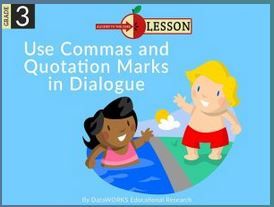
Educeri.....Educeri a division of DATAworks offers lessons for grades k-12 in a wide variety of subjects available with the Educeri Lesson Subscription Service. For those multi sensory learners out there, using a tool like this helps to reinforce and explore concepts in a new way.
Educeri Lesson Subscription Service Reviews
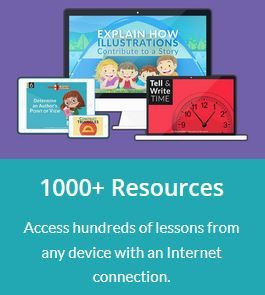
There are over 1000 ready to teach lessons available with the Educeri Lesson Subscription Service. As an example of the variety provided, here is a screen shot of a simple search I put in customized to our homeschool. That is, first grade + language arts. 
As a mom to a first grader, I loved that the lessons are very colorful and utilize fun characters and bold prints to visually engage the student with whatever concept he/she is working with. 
Educeri Lesson Subscription Service Reviews
Organized by grade level and subject, lessons are easily navigated by teacher and students alike.  Also, each lesson comes with an easy to download handout to print for extra practice. This is a huge bonus for those of us who are more tactile learners, and can be helpful for the younger ones who aren't using the computer as fluently. 
Educeri Lesson Subscription Service Reviews
Most lessons are presented in what I would refer to as "slideshow" style, and are very colorful. While there is no audio provided, the concepts are easily laid out for the teacher to dictate. If your child is older and reading fluently on his own, the lack of sound is probably less of an issue. Here is a screenshot below of an example of a slide in the "Blending Sounds" lesson. You can see that the dictation style makes it easy to clearly communicate the concept with your student. 
Overall I did enjoy using Educeri and would recommend it as a reliable resource to have at your fingertips when you need to fill in a quick lesson plan. The variety of subjects offered over all grade levels and easy at home or on the go access-plus printable materials- makes this a great homeschool tool.
Check out Educeri...Educeri a division of DATAworks on social media at the links below:
Facebook: https://www.facebook.com/educeri/
Twitter: https://twitter.com/teacheduceri   @educeri
Pinterest: https://www.pinterest.com/Educeri/
And, to see what the crew thought, be sure to read more reviews by clicking the banner below.
Educeri Lesson Subscription Service

Wednesday, October 12, 2016

MyFreezEasy-a Review

Freezer cooking has always seemed pretty intimidating to me. Enter the MyFreezEasy Freezer Meal Plan Membership. When I saw that the Schoolhouse Review Crew would get a chance to review this online program, I jumped at the chance to up my meal planning game. MyFreezEasy brings freezer cooking to your kitchen and offers a variety of recipes for all taste buds.
 
Learning to meal plan and freezer cook is such a valuable skill to hon in the kitchen, and will prove your friend many times over in those busy seasons. Plus, it saves time and money! Like I said, the freezer cooking part has always left many questions swirling through my head and so I never fully tackled it.  Back when I was very pregnant with my #2, I made a few "beginner" type freezer meals since I knew cooking would not be at the top of my priority list after baby boy made his entrance. Once our meals from friends slowed down, it was so incredibly nice to simply pull out a meal, thaw and throw it in the crockpot. Fastforward four years, and I am finally getting back into the idea thanks to MyFreezEasy.
MyFreezEasy.com Freezer Meal Plan Membership {MyFreezEasy}
If you're a visual person like myself, MyFreezEasy offers lots of videos on their website to help you better understand the art of freezer cooking. In these "how to" style videos you will learn the secrets of freezing food and thawing it.  

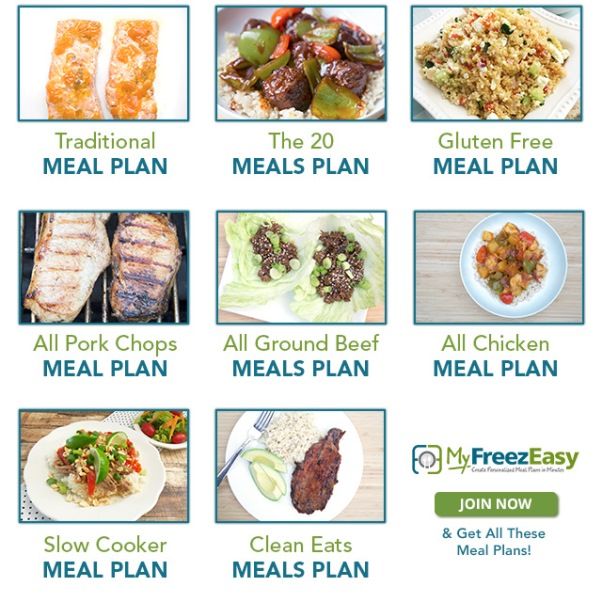
Erin Chase, the brains behind this delicious operation, has done a wonderful job organizing and presenting all of the meal plans and recipes on her website. Each new month offers a pre-designed meal plan that offers 5-10 recipes to make 10-20 meals. Each plan includes the recipe, grocery list, assembly instructions and labels in case you choose to freeze for later. If you have special nutritional needs, modifications are also included to make meals gluten or dairy free. 
Plans include:
  • Traditional Meals
  • Gluten Free Meals
  • Clean Eats Meals
  • Chicken Only Meals
  • Ground Beef Only Meals
  • Slow Cooker Meals
MyFreezEasy.com Freezer Meal Plan Membership {MyFreezEasy}
How it works is simple. Prep(you can't get out of that!), freeze, thaw, and eat-voila! Instructions are clear also that you can simply prepare and enjoy, the the most "bang for your time" comes in the freezer cooking. In about an hour the goal is to make up to 10 meals to stock your freezer with-think about it ladies, you could spend an hour making just one meal!

If you know me at all you'll know I'm not the most adventurous eater and can be sort of picky about food. While there is a TON of variety offered here, I just found a handful of recipes that I liked and were different enough from what our family usually eats. That is not to say that someone else wouldn't love the "all chicken plan." With the premium membership, you also have the ability to "create your own" meal plan, and that was especially helpful to me. 
MyFreezEasy.com Freezer Meal Plan Membership {MyFreezEasy}
The MyFreezEasy Freezer Meal Plan Membership is $95 a year or $10 monthly, and includes a bonus side dish cookbook. Happy cooking!
 
To connect with MyFreezEasy on social media, see the links below:
Social Media Links:
Facebook:  http://www.facebook.com/freezeasy
Instagram:  http://www.instagram.com/freezeasy
Pinterest:  http://www.pinterest.com/5dollardinners/freezeasy
And, be sure to click on the banner to check out what the rest of the crew thought. 
MyFreezEasy.com Freezer Meal Plan Membership {MyFreezEasy} 
 

Wednesday, September 7, 2016

Exploring the stars with Apologia-a review

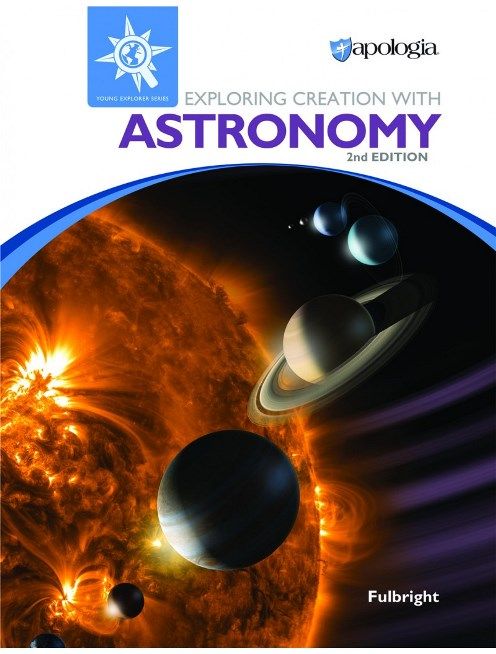
We were so excited to get our hands on Exploring Creation with Astronomy, 2nd Edition from Apologia Educational Ministries to review. I have long been a fan of Apologia, and knew from the start of our homeschooling journey that we would eventually use it for our science curriculum. After exploring this new Astronomy course with my first grader over the past few months, we are happy to join the chorus of praises and sing that it not disappoint! 
Apologia: Exploring Creation with Astronomy Review
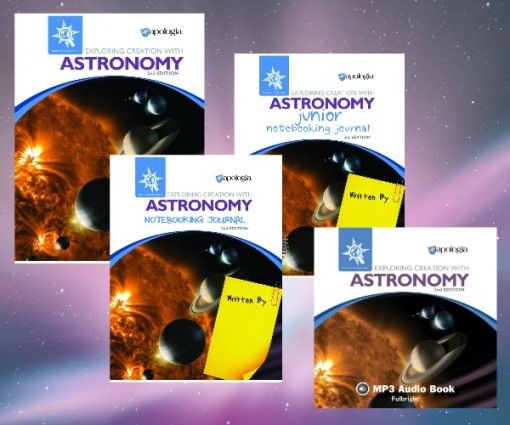
The new and improved  Exploring Creation with Astronomy, 2nd Edition is part of the Young Explorer series and is geared towards students grades K-6. For this review we received:
  • Student textbook
  • Note booking Journal
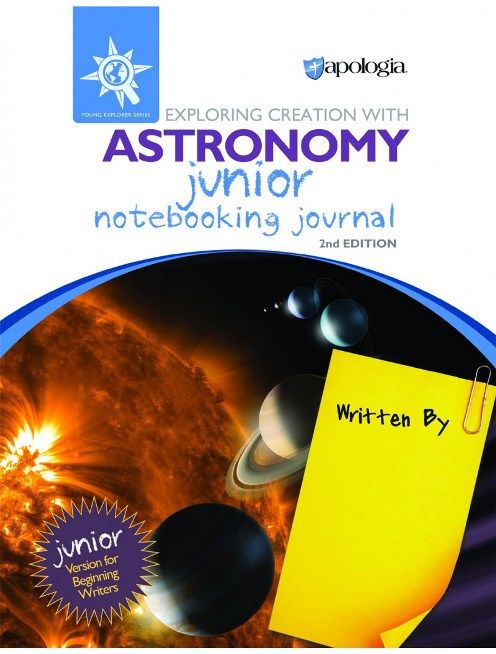
  • JR. Note booking Journal
  • Audio CD
Apologia: Exploring Creation with Astronomy Review
The sturdy hardback textbook offers an in depth astronomy course complete with beautiful, breathtaking photographs. As you learn and "explore creation" through astronomy, Apologia is faithful to point to its creator and teaches from a biblical center and worldview. What I also appreciate about the textbook is how fluidly it reads. While incredibly comprehensive, its conversational style reads with the ease and enjoyment of a living book.  This top quality textbook includes 14 lessons and covers the sun, moon, each of the planets, stars, space travel and more. I really enjoyed the small "think about this" excerpts within the chapters-they make for great talking points with your kids! 
Apologia: Exploring Creation with Astronomy Review
Because we love all things multi sensory, the audio CD element was an awesome addition. It is a complete and engaging reading of the textbook by the author herself, Jeanine Fulbright. We casually (and by casually I mean on the way to the grocery store) listen to the chapter readings of the CD after we've read the textbook and completed any related notebooking activities and/or experiments; in this way the audio reading acts as a last layer to further "seal" the information.

The student activities were also huge hits with both of my boys. They are easily outlined and you can complete most experiments with the help of common household objects. Most importantly, they are FUN! One of the first ones we did was to create an original mnemonic device to remember the names of the planets. Of course we came up with all kinds of silly sayings, and ultimately landed on "Master Velociraptor Evan Matthew Just Sat Under Noodles." #SixYearOlds. :-) It's safe to say my kids were pulled in from chapter one. More than that, they were excited to start learning about astronomy. Below is a picture of Evan standing under our next project, a balloon model of the solar system. 
Since my kids are younger, I read aloud the from the textbook before moving to journal time. We primarily used the "junior" version of the notebooking journal, which is perfect for for those younger kiddos.  It's a wonderful and well done complement to the student text and Evan really enjoyed the journaling in it. Both notebooks are BIG(300+ pages) and boast a variety of fun, full color activities to reinforce the lessons. The copywork, crosswords and coloring pages were right up our first grade alley. We also enjoyed making the "mini books." And for mom, a suggested schedule is included in the notebook for ease of planning. 
Apologia: Exploring Creation with Astronomy Review
You can view sample pages of this notebook HERE.
Apologia has put together an excellent science cirriculum in Exploring Creation with Astronomy, 2nd Edition. If you're looking for a comprehensive, competitive and Christ centered science curriculum-this is it. It presents science and astronomy in a way that captures your attention-both in it's engaging text and gorgeous photographs- and inspires students to learn more. Without a doubt I will continue to use this book beyond the time of this review.
To read other reviews on this homeschool science curriculum, click on the banner below:
Exploring Creation with Astronomy, 2nd Edition Review
And, be sure to check out Apologia on social media at the links below:
Facebook: https://facebook.com/apologiaworld
Twitter: https://www.twitter.com/apologiaworld @apologiaworld
Pinterest  https://www.pinterest.com/apologia/
Instagram:  https://www.instagram.com/apologiaworld/

Wednesday, August 17, 2016

Foreign Languages for Kids by Kids-a Review

Beginner Spanish Foreign Languages for Kids by Kids Review
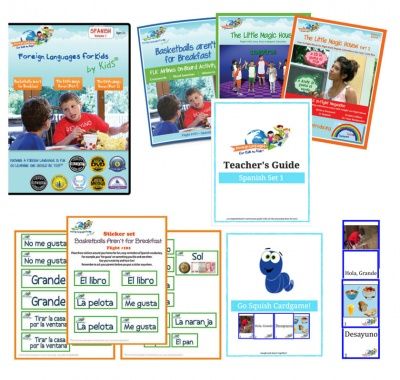
Hola amigos! Over the past month we have had the opportunity to explore Spanish with Foreign Languages for Kids by Kids. This immersive and multi-sensory program was developed by homeschooling mom and lawyer Kit Strauss. Part of our homeschooling goals include raising global citizens with a wide awareness of the world we live in. Naturally, we were excited to take our first dive into the Spanish language with this award winning program. We received the Starter Set 1 to review, which includes:
Beginner Spanish Foreign Languages for Kids by Kids Review
  • DVD with videos for levels 1-3
  • Three parent-teacher guides 
  • Flashcards and card games for levels 1-3
  • Workbooks for levels 1-3
  • Stickers for all 3 levels
The three levels mentioned above are Basketballs aren't for Breakfast, and The Little Magic House(parts 1 & 2). Each DVD is creatively presented as an in flight video to watch as you "travel" to a Spanish speaking country. What I really like about this curriculum is that the DVDs are actually entertaining and fun to watch. Both of my boys laughed several times throughout the videos-it's always nice to hear laughter and learning go hand in hand!

Something that I think that sets FLKBK apart from other foreign language curriculums is that it teaches by method of immersion. There is no "repeat after me" type of instruction, and you will not find translators or many subtitles in the videos. Instead, students naturally pick up the language as they see it spoken by other kids in a real life setting. This is much like the way they have learned their first language-simply by listening and watching. For example, there is a short "hide and seek" skit where the girl counts "Uno, dos, tres..." behind a tree. While this may present a bit of a learning curve up front, the video introduces it like riding a bike-it gets easier to understand over time. As an English speaking parent teacher, I would also note that it's incredible helpful to have that DVD component to hear how the words are correctly pronounced. 
My boys also really enjoyed the stickers and workbooks. The workbooks are engaging, colorful and sturdy. Also, the flash cards are a great addition but I will admit the "Go Squish" card game was difficult for my littles to understand. While I would'nt neccesarily recommend that game for younger kids, you can still have plenty of learning fun with the flash cards and even adapt the game as you like. 
The parent teacher guides included in this starter set are extremely helpful. Not only do they lay out detailed lesson plans, but also suggest supplemental hands on activities to reinforce the material taught, leaving plenty of room for flexibility. 

For more information, you can connect with Foreign Languages for Kids by Kids on Facebook:

And, click on the link below for more reviews from the Schoolhouse Crew.
Beginner Spanish Foreign Languages for Kids by Kids Review

Monday, August 1, 2016

CTCMath Homeschool Membership, a Review

Since Math is one of Evan's favorite subjects, we were both excited for the opportunity to review the Homeschool Membership from CTCMath. CTCMath is an online math curriculum offering over 1400 tutorials to learn from. This program provides a full math curriculum for grades k-8 and is designed to be an additional supplement for high school. The material, created by seasoned math teacher Patrick Murray, is solid and very clearly communicated; this is the type of math I wish I had learned from myself! 
CTCMath Review
Based on the assessments offered, we primarily worked in first grade math with the exception of a few topics I wanted to explore further. 
The short 4-9 minute video tutorials have been an especially helpful teaching tool for us. Because Evan really benefits from that type of multi-sensory learning, CTCMath is right up our ally. The neat thing about video tutorials is that you can pause, rewind, or watch them as many times as you need to fully understand the topic. If only all of our math teachers could be so patient! 


Here is a screenshot of a first grade level lesson on place value. In the picture below you see the video is selected to play first. 
After watching the video, you click over to the interactive "Questions" tab to gauge your understanding of the topic. You can also print worksheets there for further practice. I think it's important to have that pen to paper relationship with math so being able to print out worksheets to go along with the lessons is a great feature.
As you can see below there is quite a comprehensive scope of lessons covered. Pictured below is an outline of the first grade curriculum. 
As the parent teacher, regular reports are provided for you as your student progresses through the material. You can also set up their individual tasks so that when your student logs in, he/she can go to their assigned tasks for the day. 
For the combination of its video tutorials, interactive questions and printable worksheets, I believe CTCMath to be a superior program and would readily recommend it to friends looking for an online math curriculum. You can purchase as subscription to CTCMath online for either 1 or 2 or more students with payment plans monthly, every six months or for one year. The one year access plan offers the best value. Also, membership allows access to all grades and levels so your student can have the freedom to explore topics either above or below their specific grade level. 
For more reviews on this product, be sure to check out the Schoolhouse Review Crew post below...
CTCMath Review
And, check out CTCMath on social media at the following links...

Facebook: https://www.facebook.com/ctcmath?ref=hl
Twitter: https://twitter.com/ctcmathofficial
Periscope: https://www.periscope.tv/ctcmathofficial
Pinterest: https://au.pinterest.com/ctcmath/
Youtube: https://www.youtube.com/channel/UCWn5e6974bpIEAe46VnovZw

Maths Online (Australia Only)
Facebook: https://www.facebook.com/mathsonline.com.au
Youtube: https://www.youtube.com/user/MathsOnlineAU

Wednesday, June 22, 2016

My School Year, a Review

It's no secret, I love a well planned day. So of course I was excited to use and review My School Year(Homeschool Record Keeping) from MySchoolYear.com to plan and organize our homeschool. MySchoolYear.com is an online, subscription based tool that makes record keeping a breeze. It is simple and sufficient for all of your organizing and documentation needs, whether that be creating lesson plans, preparing transcripts, printing report cards and more. 
MySchoolYear.com Review


The Homeroom is the place to start. It provides a great "at a glance" visual of everything going on in your classroom including upcoming lessons, events, attendance, special awards and more. 

The Planbook feature allows you to create your lesson plans, course despriptions and class schedules with a nice rapid repeat or quick split option. Once lessons are made, you can also mark them complete or modify as you go. To make room for flexibility, you can also change or entirely reschedule those plans as your homeschool demands. Either way, it's completely customizable to your needs and your individual student. Moreover, it's very user friendly and takes no time at all to set up your students!

Here's a simple glance at the list of classes I put together for Evan's first grade year, next I'll go into each subject and customize a lesson plan and schedule. As the year progresses, you can see on the right how it will give us a nice visual of our progress. 
Already it looks like I've left out spelling and our new history curriculum. No problem! My School Year makes it easy to edit and add new materials with a few simple clicks of the mouse. 

If you're having trouble navigating through anything, the Teachers Aide is your handy homeschool helper to guide you through next steps. It will also send you helpful reminders as things are missing in your schedule or come up due. There is often a learning curve to conquer with just about every new program or curriculum we encounter. Thankfully, this one isn't too steep and the teachers aid is there to be your gaurdrails. 

Depending on what state you live in, you will likely be required to keep attendance. One of my favorite aspects of this tool is that it enables you to easily generate all kinds of reports, including attendance. Having these reports readily available is a great feature. 
Attendence Screenshot

Another feature I like about My School Year Homeschool Record Keeping is that it allows you to share lesson plans with others. This is especially helpful with including dad or other family in on your homeschool week.

The only thing I've seen lacking in this program is the ability to upload one's own important documents. For example, our state requires us to keep immunization records, and it would be nice if there was an area available to upload whatever personal documents that may be pertinent to your homeschool record keeping. That one add on would really put this program over the top as a one stop shop for all of your lesson planning and documentation needs. Otherwise I have been very impressed and think it's a superior online planning resource; we will definitely continue to use our subscription through the year! 

Read more reviews from the schoolhouse crew here:

And, be sure to check out My School Year(Homeschool Record Keeping) on social media at the links below:
MySchoolYear.com Review

Google+:  https://plus.google.com/+MyschoolyearWeb
Twitter


Tuesday, June 7, 2016

MaxScholar-A Review

MaxScholar is an excellent online resource that offers a variety of activities for students to improve reading skills with their MaxScholar Reading Intervention Program. For this review we were generously given a one year license to the MaxGuru suite, which includes MaxPhonics, MaxReading, MaxWords, MaxMusic, MaxBios and MaxPlaces.
MaxScholar Reading Intervention Programs Review


The MaxScholar Reading Intervention Program is based on the Orton-Gillingham method and geared toward children who struggle with learning disabilities like dyslexia, ADHD, and processing problems OR who are more simply struggling to read. Its engaging, multi sensory approach aims to access all pathways of the brain to establish permanent knowledge. MaxScholar has a TON to offer for students in kindergarten all the way thru high school; for my younger crowd MaxPhonics was the perfect place to start!  
How we used it:
Evan is six years old and ripe for reading! I am so proud of the hard earned progress he has made over this last year, and was excited to bring MaxScholar into the mix. We spent the most time with MaxPhonics, MaxReading and MaxWords to iron out and reinforce those foundational phonics, reading comprehension and early spelling concepts. 
MaxPhonics was our favorite! Evan made great use of the blends and digraph activities while Bennett, my preschooler, was wholly engaged with the beginning letter sounds. 
Here are some screenshots of the letter "f" activities. 
Each letter has a visual, tactile, and an auditory component. In the tactile activity students can practice their handwriting by either drawing the letter with their finger on a touchscreen or using a mouse to trace it out.

Associating letter sounds with a picture-as in using the image of a fox for the letter f- is a great left brain/right brain exercise for the struggling reader who may have a real learning disability like dyslexia.

Matching games are always a hit in this house and this one is no different. Here you match the letter sound to the picture that begins with that letter. As an aside, MaxScholar is touchscreen friendly and in fact, I found it easier for my littles to navigate on their tablets.

I introduced a more formal spelling curriculum earlier this year with Evan and MaxWords has become my go to reference for spelling rules! As you can see below, students can review spelling rules and are given a handy list of examples with an auditory component as well. In MaxWords you will also learn about prefixes, suffixes, and Latin root words.

Though we mostly stuck to the early learning activities, I noticed a great deal of reading comprehension exercises across almost every component we explored. MaxBios for example offers great little(yet comprehensive) biographical sketches on a vast variety of people from famous musicians and inventors to influential women. Though Evan is not at the point where he could fluently read and highlight these pages on his own, I can easily read them aloud to him and then test his understanding with the corresponding comprehension questions. 

My only small dislike of the program overall would be it's music and games selection. I wasn't a fan of many of the artists chosen and didn't think their lyrics offered any real depth of learning-however, it's certainly no deal breaker when considering the overall worth of this program. The phonics program is tried and true and that's just the beginning. You can purchase a 12 month digital license to MaxGuru for $279, or buy the K-2 pack including phonics levels 1-4 and reading levels k-2 for $99.

Click on the banner below to see what the fellow crew thought of learning with MaxScholar.
And, be sure to check out MaxScholar on social media at the following links:

    Facebook: MaxScholar, https://www.facebook.com/MaxScholarLLC/?fref=nf

    Twitter: @MaxScholarLLC, https://twitter.com/MaxScholarLLC

    Pintrest: MaxScholar LLC, https://www.pinterest.com/MaxScholarLLC/

    Google+: MaxScholar, https://plus.google.com/+Maxscholar/posts

    LinkedIn: MaxScholar, https://www.linkedin.com/company/2884620

    YouTube: MaxScholar LLC, https://www.youtube.com/user/MaxScholarLLC

Monday, May 23, 2016

Science Shepherd-A Review

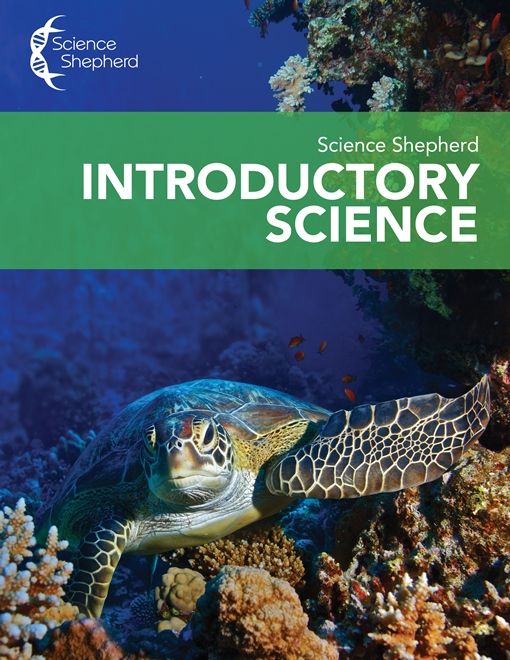
I could not have asked for a better springboard to teaching science than the Introductory Science curriculum from Science Shepherd. This is the first formal science curriculum that we've incoportated into our Kindergarten/1st grade classroom outside of unit studies and dare I say, we found a winner! Truly truly, I am so excited to share this review with you!!!
Science Shepherd Review

The Introductory Science program, for kids ages 6-11, covers a wide breadth of topics including meteorology, astronomy, oceanography and more over 35 weeks of lessons. Each video lesson is up to 5 minutes long, and all are accessible online for 12 months with this selection. The program is self paced but nicely lends itself to daily lessons.

Alongside the video course, you can purchase corresponding workbooks to reinforce the lessons taught. We received a copy of Workbook A(with an answer guide), which is intended for ages 6-8. The Level B workbook contains the same material but with some added content and is geared towards ages 9-11. Evan loves his workbook! On average there are usually two workbook pages per lesson, one page with questions about the material and the other with a fun activity like a word search or puzzle. The questions are given as short answer, multiple choice or "circle the answer" and are great for practicing simple comprehension with your early elementary student. There are samples of each workbook pages available online.
Science Shepherd Review

What I love about this product:
The format!!! Each video lesson is less that five minutes long, and the corresponding workbook pages are equally as non-intimidating-with no compromise to the content! This is so age appropriate for my 6 year old-it's an all around win! The material itself is thorough and engaging and it's format makes it so approachable for little ones. 
Here is a screenshot of one of the online video lessons
I was worried this program would be above Evan's level since he is at the very beginning of the age range, but I have been so pleasantly surprised! He loves doing his science work! The video interface is a win win and with the occasional dictation from mom, he has become almost independent over his workbook pages. This is not to say that the program itself is super simple since it has worked so well for my 6 year old, because as a 30 year old myself I've learned alongside him! I am so so glad we discovered Science Shepherd early on and will definitely consider their other products as we grow. 

It's no surprise that Evan especially loves the additional experiments included in the workbook. I love that they are equally addressed in the video tutorials. In the past I admit I've second guessed myself while conducting even very elementary level science experiments, often having to refer to google for extra help and pictures where I may have gone wrong or missed a step. Seeing the experiment firsthand, and demonstrated by these smart young ladies below, is so helpful. So far we have done every optional activity and have enjoyed them all! As a plus, most materials needed for the science experiments throughout the book can easily be found around your house. You can find a list of the video activities and supplies needed here

Product Details:
  • The Introductory Science video course is $35.
  • The Workbook Level A is $12.
  • The Workbook Level B is $15.
  • Answer keys are $3. 
I highly recommend Introductory Science as an early elementary science course as it is just that-an excellent and solid first foundation to the world of science. Click on the banner below to see what the fellow crew thought!
Science Shepherd Review
And, be sure to check out Science Shepherd on social media at the following links:

Facebook - https://www.facebook.com/ScienceShepherd/
Twitter -  https://twitter.com/scienceshepherd
Pinterest - ​ https://www.pinterest.com/scienceshepherd